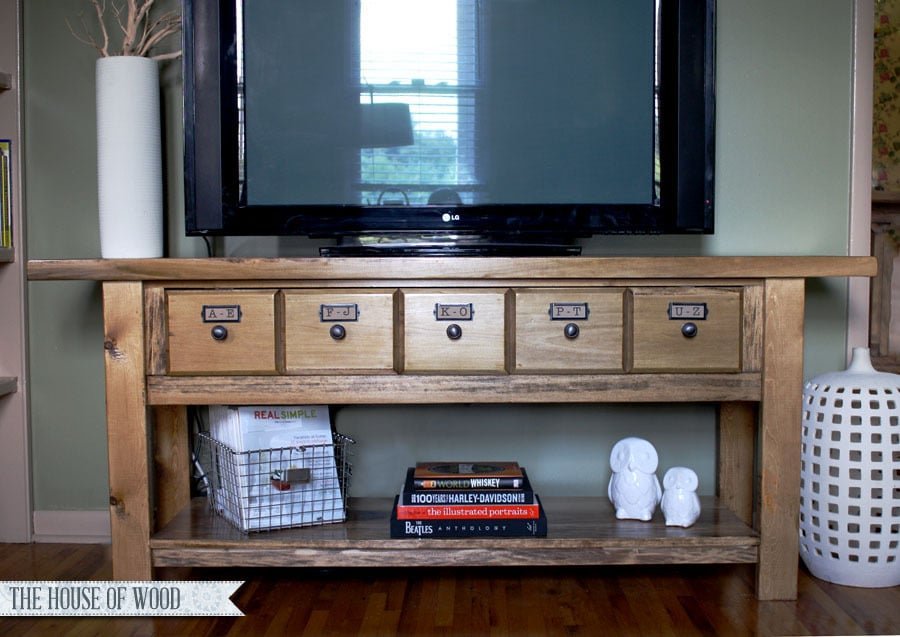
Ridge Media Console
to build a solid wood media console with flip down storage for hiding controllers.
Specifications
| Project type | Media and Entertainment Centers |
|---|---|
| Room | living room |
| Style | Farmhouse Furniture |
| Difficulty | Advanced |
| Estimated cost | $150 - $200 |
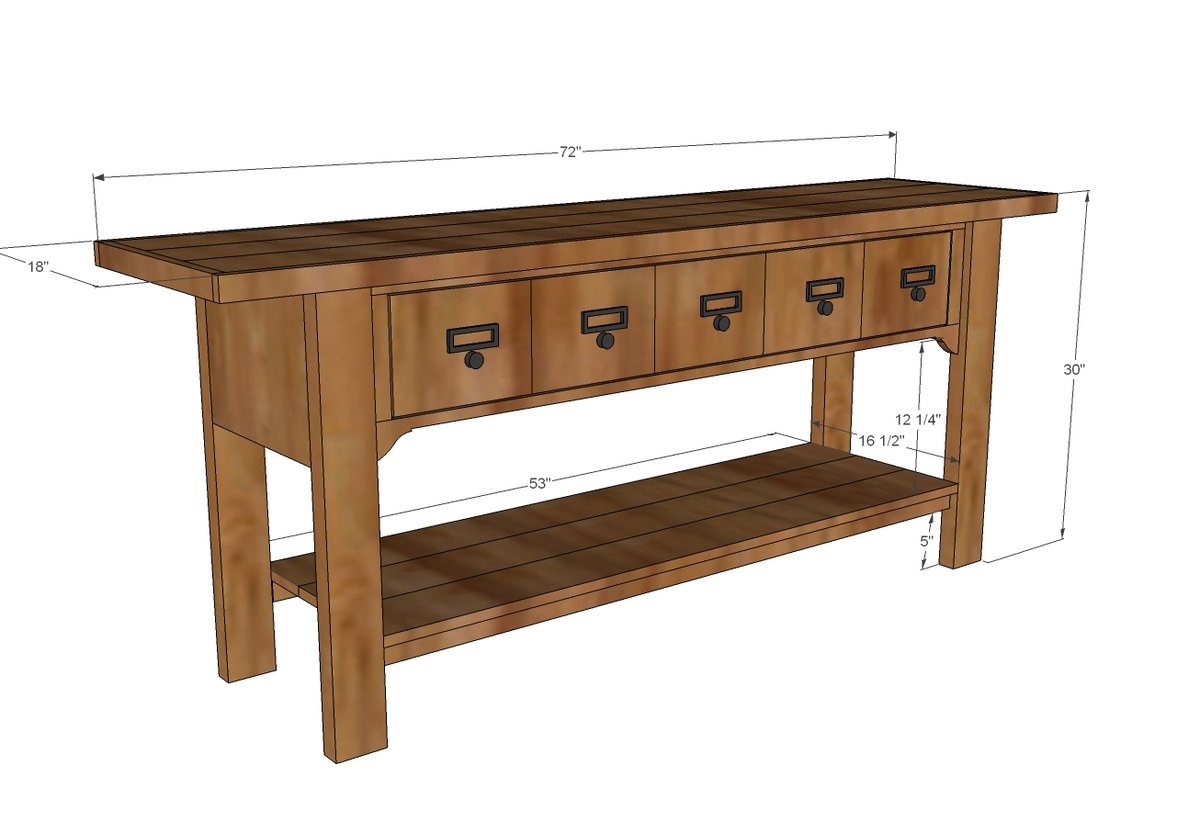
Dimensions
Use the size-specific shopping and cut lists below.
Shopping List
5 - knobs or handles
1 set of butt hinges or piano hinge
1 - 2x4 @ 10 feet long
1 - 1x12 @ 3 feet long (or 8 feet long if you are using a 1x12 for back)
6 - 1x2 @ 8 feet long
6 - 1x6 @ 72” long
1 - 3/4” plywood @ 13 1/2” x 58 1/2” (can use shelving materials here)
2 - 1x3 @ 8 feet long
1 - 1x8 @ 6 feet long
1/4” plywood for the back if not using the 1x12
Cut List
4 - 2x4 @ 29 1/4”
2 - 1x12 @ 13 1/2”
2 - 1x2 @ 53” (for additional support, use 2x2s here instead - ie heavy bottom shelf loads)
3 - 2x2 @ 13 1/2”
3 - 1x6 @ 53”
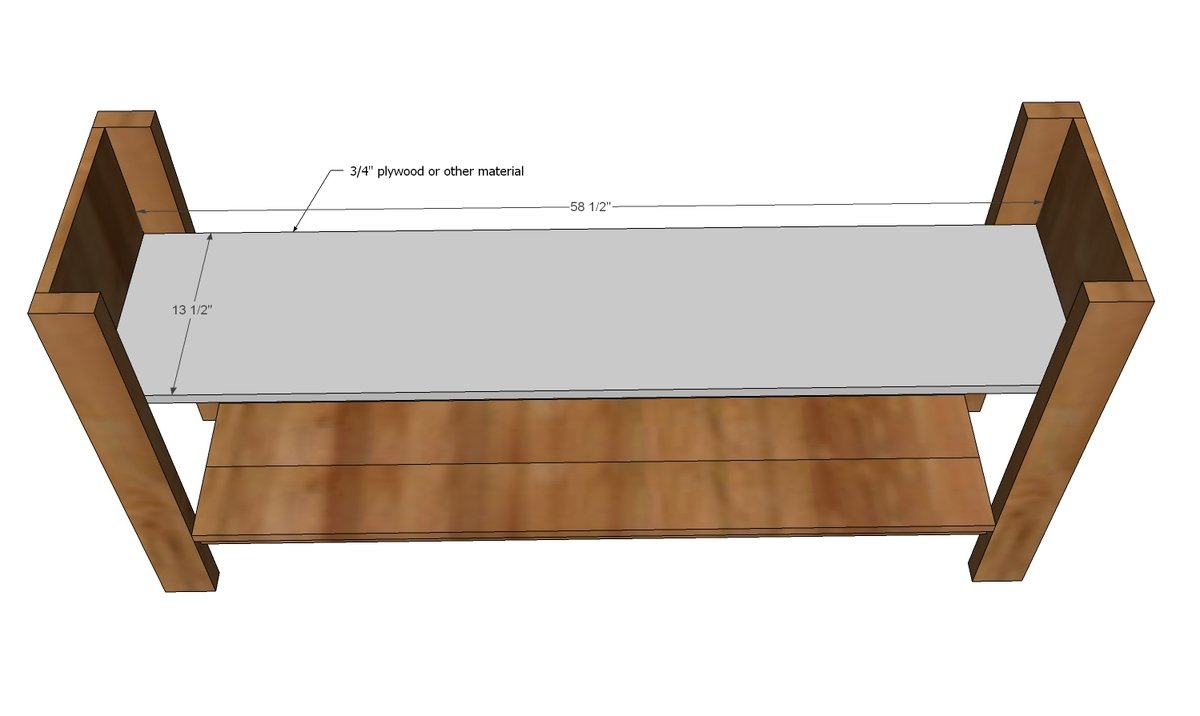
1 - 3/4” plywood @ 13 1/2” x 58 1/2” (can use shelving materials here)
2 - 1x3 @ 53”
2 - 1x2 @ 53”
2 - 1x2 @ 7 1/2”
1 - 1/4” plywood @ 53” x 11 1/4” (could use a 1x12 for the back - especially if you are planning to place heavy weight on top this may make sense)
3 - 1x6 @ 70 1/2”
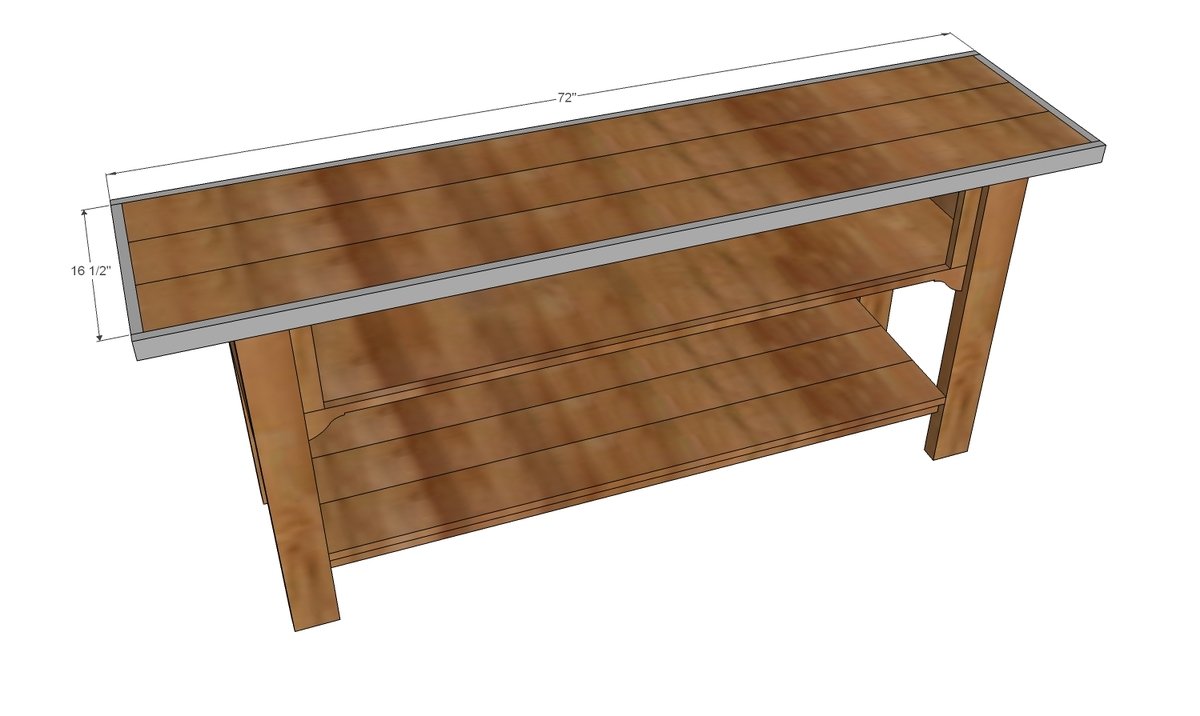
2 - 1x2 @ 16 1/2”
2 - 1x2 @ 72”
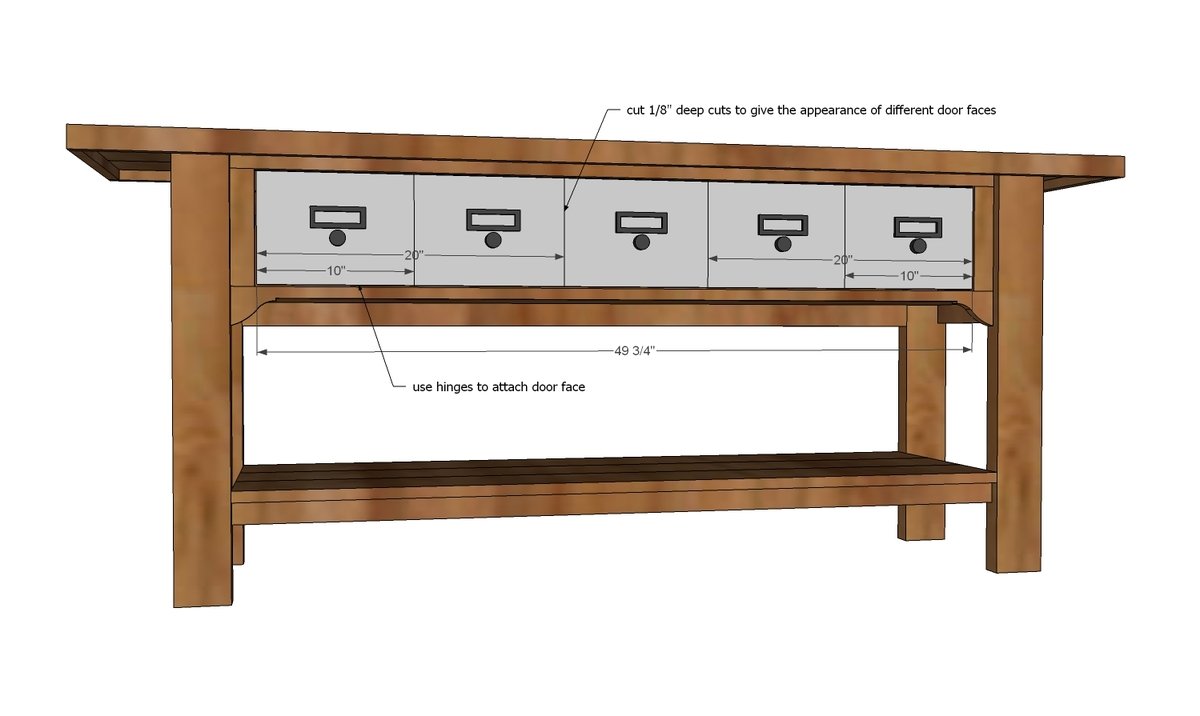
1 - 1x8 @ 49 3/4”
Tools
- measuring tape
- square
- pencil
- safety glasses
- hearing protection
- kreg-jig
- drill
- circular saw
- jigsaw
- compound miter saw
- nailer
- sander
- countersink drill bit
Step-by-step Instructions
Step 1
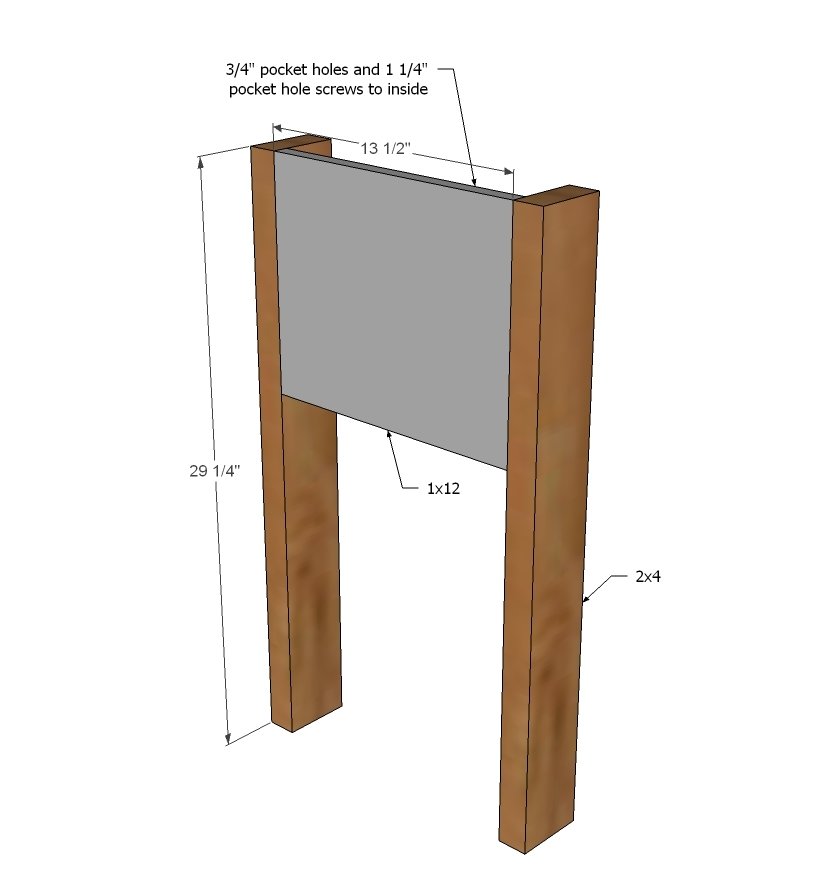
Build two of the leg sets by attaching the side apron to the legs.
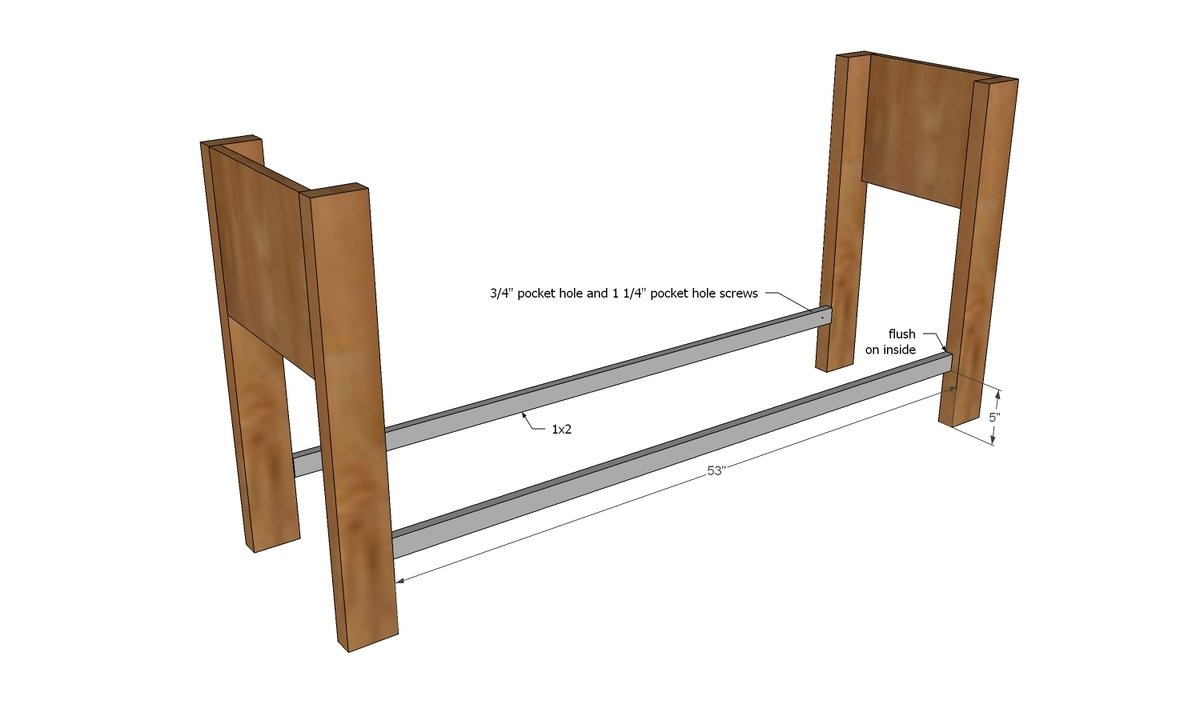
Then attach the leg sets together with the bottom shelf trim.
Note from Jen: instead of using 1 1/4" PH screws, I used 2 1/2" PH screws since it's going into a 2x4. The shorter screws didn't seem to bite in deep enough, so I think the 2 1/2" will hold stronger.
Step 3
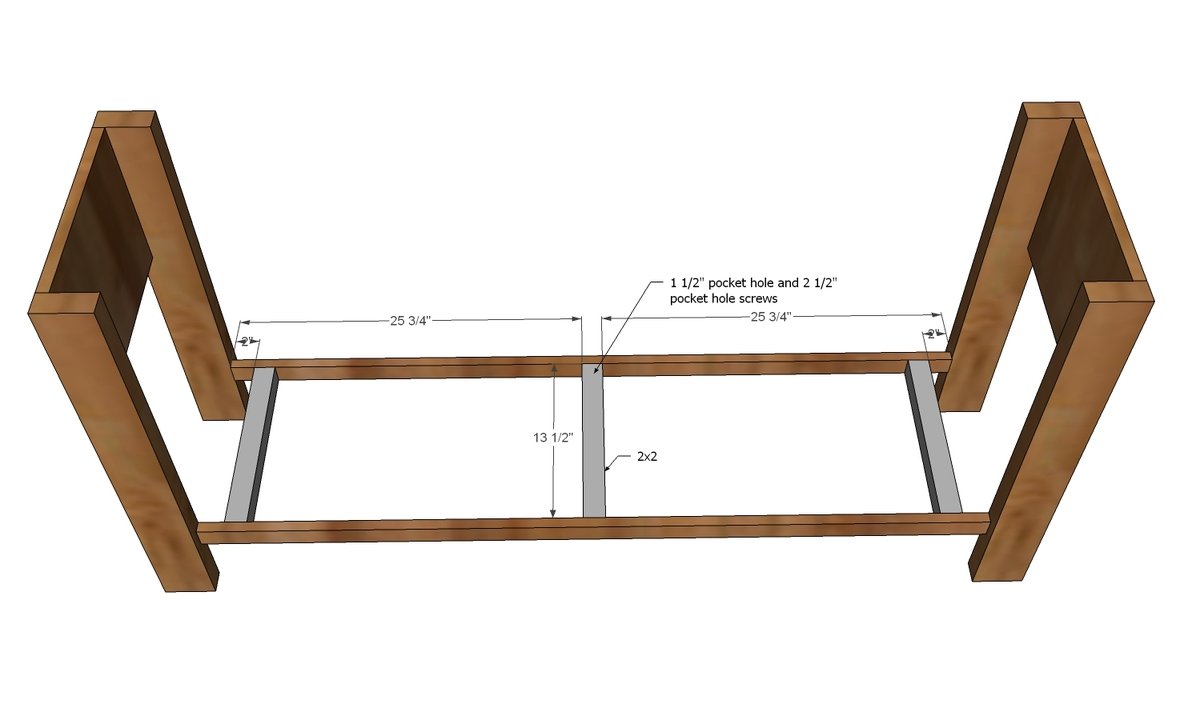
To reinforce the bottom shelf, add supports - more for heavier loads. For very heavy loads (stacks of books) maybe try adding a center support leg that is hidden in the middle of the shelf. ERROR in Diagram: use 3/4" pocket holes and 1 1/4" pocket hole screws here.
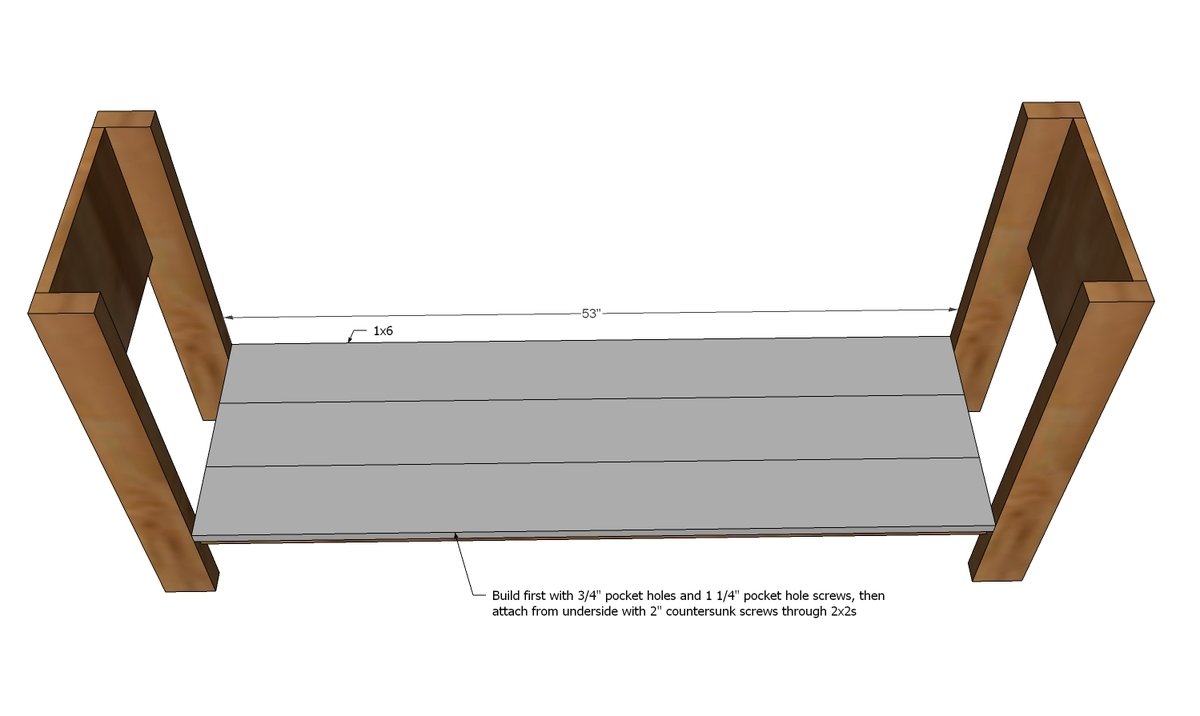
Next, attach your shelf boards to the bottom shelf.
Note from Jen - After attaching the bottom shelf, I jumped to the 2nd graphic on page 5, and attached the tabletop frame (1x2 boards). I also added 3 2x2 supports just for extra strength then I pre-drilled countersunk holes from the underside of the 2x2s to attach the tabletop.
Step 5
Step 6
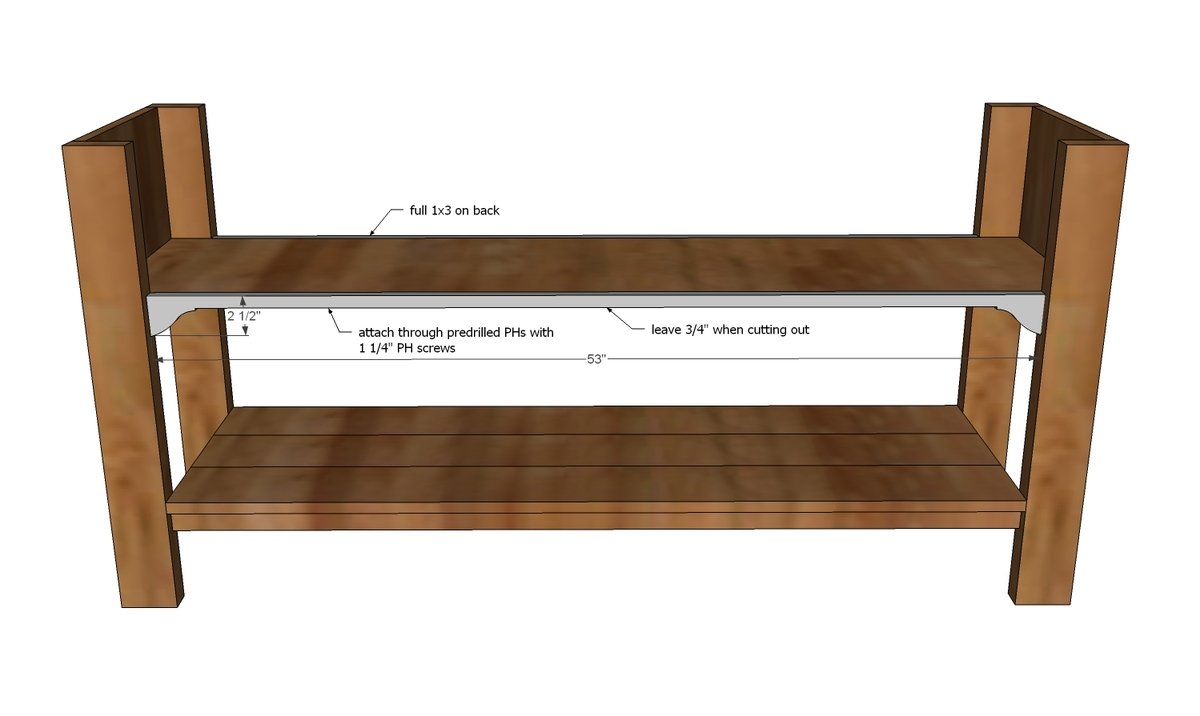
Then attach front trim. If you want to dress it up, use a jigsaw to cut out the ends as shown in diagram. It's up to you - no structural reason here.
Then attach the top trim boards.
TIP: Attach boards in next step to the 1x2 @ 53” first as you won’t be able to fit your drill inside to do the next step.
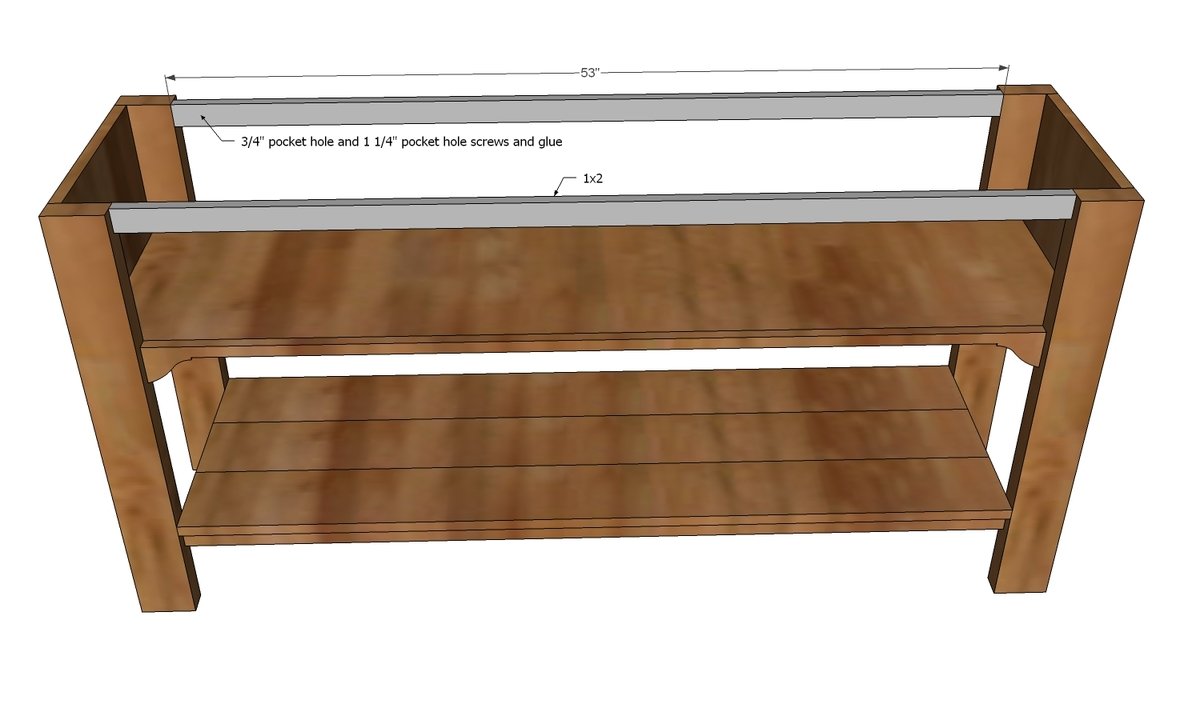
Step 8
These guys go to the ends to fiish them out - as noted above, you may wish to attach them first, depending on your right angle drill situation (if you don't have one, you won't be able to fit a drill in there to attach to the top trim).
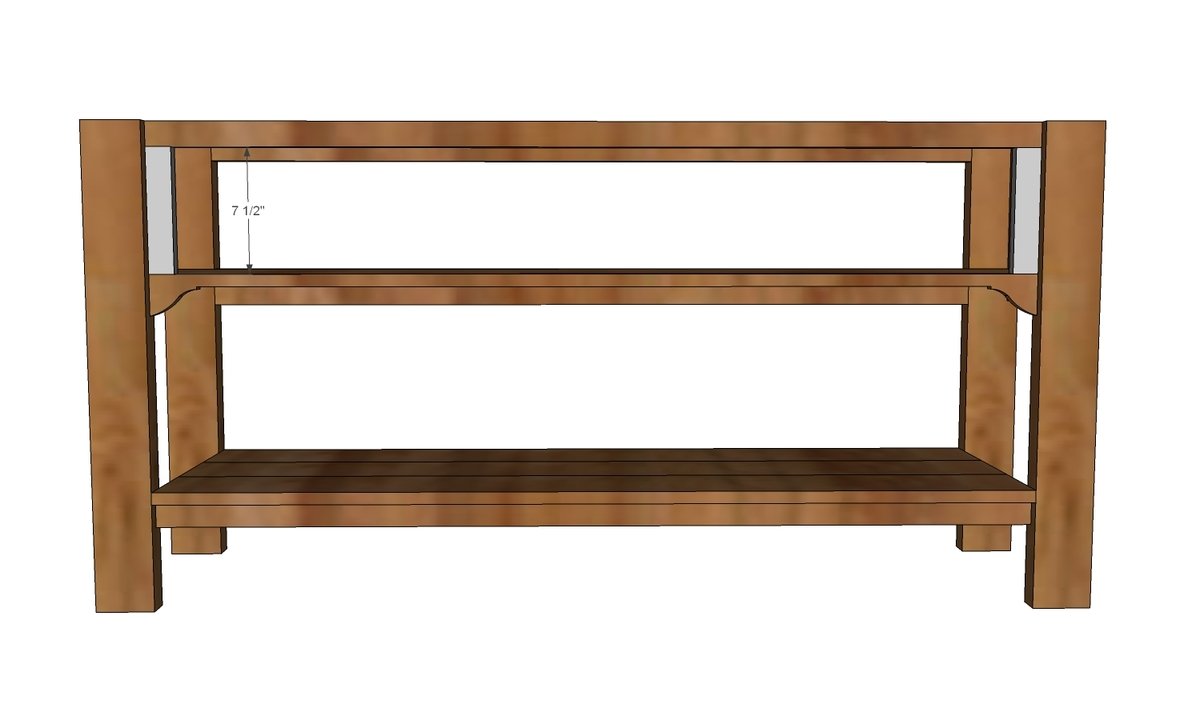
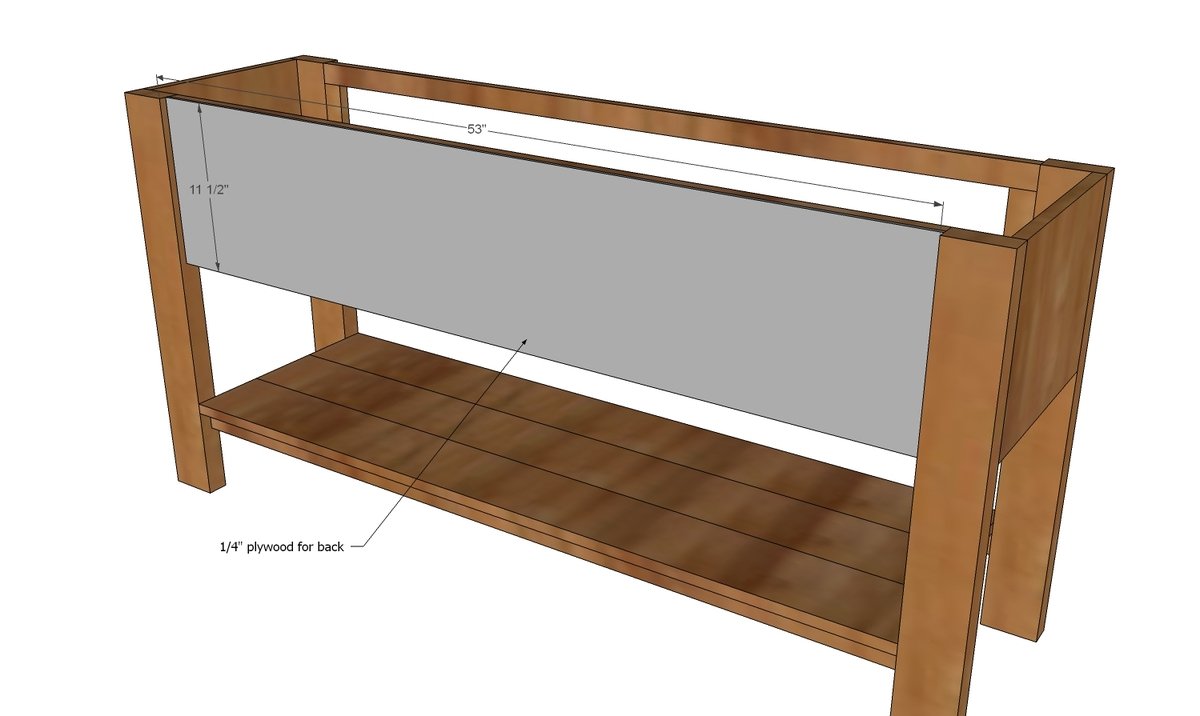
Attach back to the console.
NOTE: The benefit of using a 1x12 for the back is added strength if you are putting heavy loads on top (TV). If you use a 1x12, attach with pocket holes to the legs as well.
Step 10
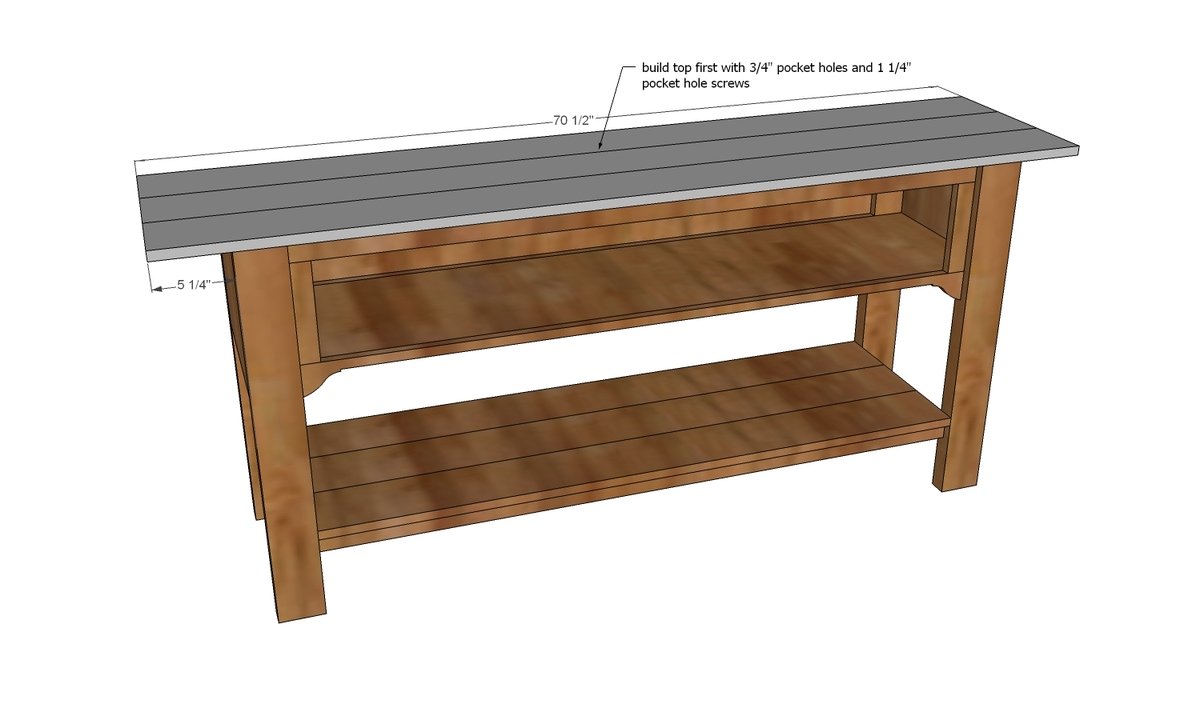
NOTE: Before building the top, you may want to attach the hinges for the flip down drawer face with the top off (make attaching hinges more accessible). Build your top first using pocket hole joinery. Then attach the completed top to the console.
Step 11
Trim out the outsides of the top as shown above, nailing on the trim.
Attach the drawer face to the drawer area with hinges.
Jen used euro style surface mount for full overlay or inset hinges to attach the drawer face. She also used blocking to bring the inside of the shelf flush. Jen also wanted the drawers to look a little fancier, like individual drawers, so she attached these false drawer faces. You can read more details directly from Jen here on all of her building modificiations.
Finishing
Sand all surfaces, starting with a medium grit and finishing with fine. Wipe off the dust, fill any holes or gaps with wood filler, and sand smooth once dry. Apply primer if you're painting, then finish with your choice of paint or stain and seal with a durable clear topcoat. For outdoor projects, use exterior-rated primer, paint or stain, and sealer so the piece stands up to the weather.
Source (temporary): https://www.ana-white.com/woodworking-projects/ridge-media-console